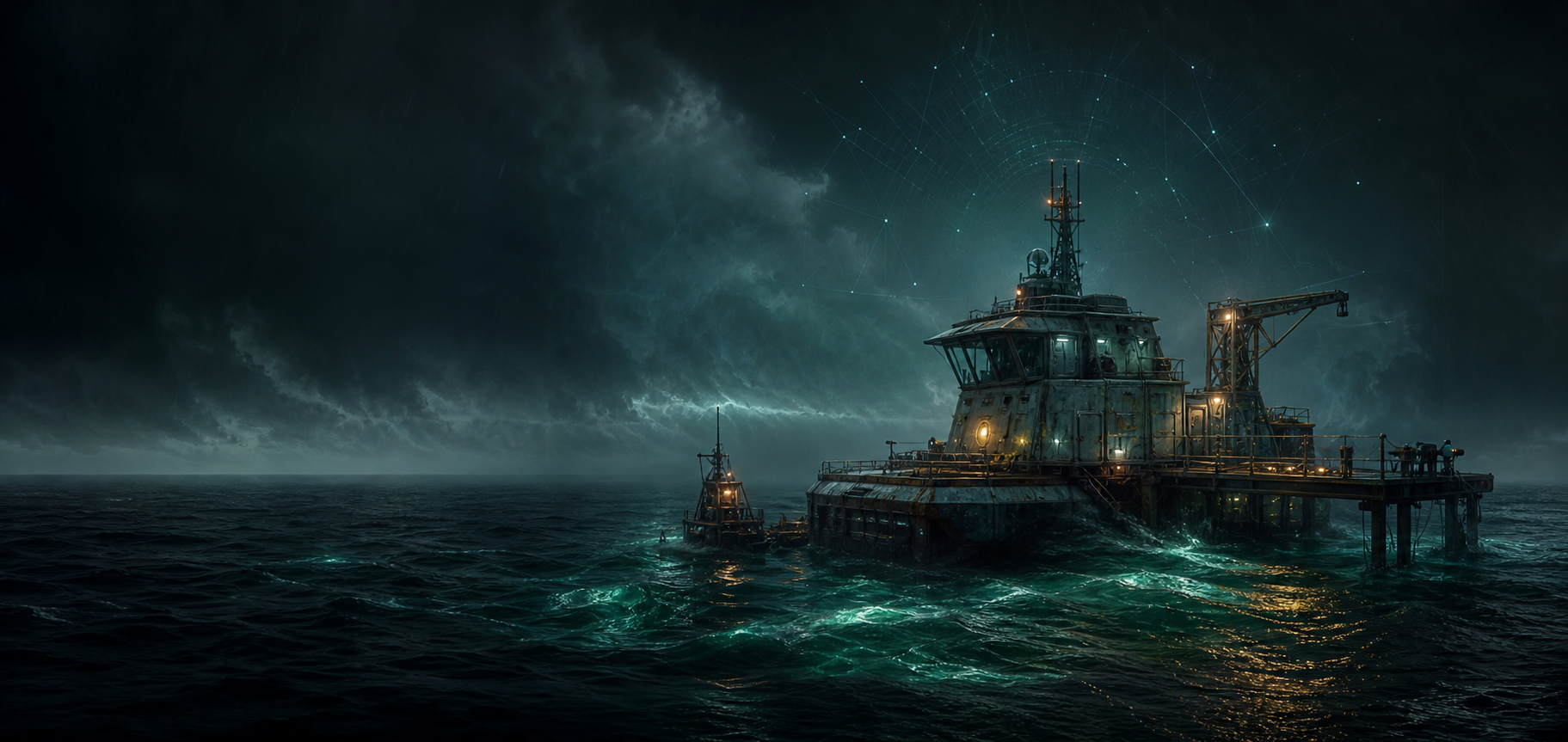
Authoritative session core
Owns membership, rejects the 5th client, snapshots accepted player state, and keeps the first phase capped to private 4-player sessions.
 Open wiki
Private multiplayer toolkit
CaretakerMP packages the player launcher, server hosting tools, invites, synced world install, the main-site opt-in server viewer, chat overlay, Lua resources, and UE4SS hook path for focused 2-4 player crew sessions.
Built for small crews
CaretakerMP keeps session authority on the server, gives players a guided launcher, and gives hosts a separate control room for worlds, resources, invites, and server health.
Owns membership, rejects the 5th client, snapshots accepted player state, and keeps the first phase capped to private 4-player sessions.
Manages server profiles, installs the hosted world bundle, starts Bridge and chat, and launches the game with the correct environment.
Starts the server, publishes named worlds, creates friend invites, checks resources, and keeps host tools separate from the player launcher.
Connects beside the game, holds a player slot, receives snapshots, syncs client Lua resources, and writes hook inbox updates.
Designed for a small Linux VPS with UDP gameplay plus a TCP browser, world bundles, client resources, and server health metadata.
Reachable hosts can appear in the main-site server viewer with live slots, world label, version, password status, and last-seen health.
Crew interface
The website can preview the same language players see in the launcher and overlay: reachable servers, clean world install state, crew presence, and quick session actions.
ServerWorld label matched.
NovaJoined Harbor Night Run.
BridgeSnapshots flowing.
Private session proof
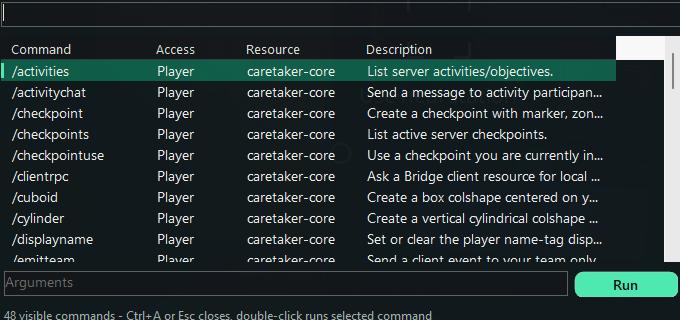
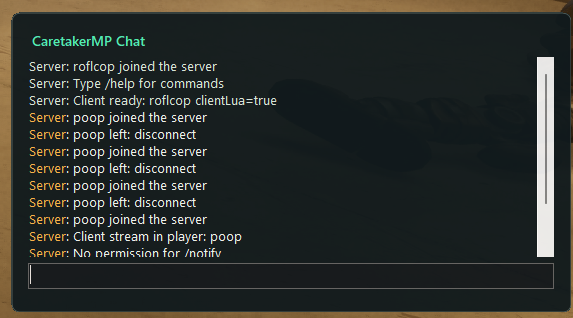
Live private session capture from CaretakerMP: the overlay radar shows two player signals, the chat feed records join and stream-in events, and the command browser exposes the available session actions.
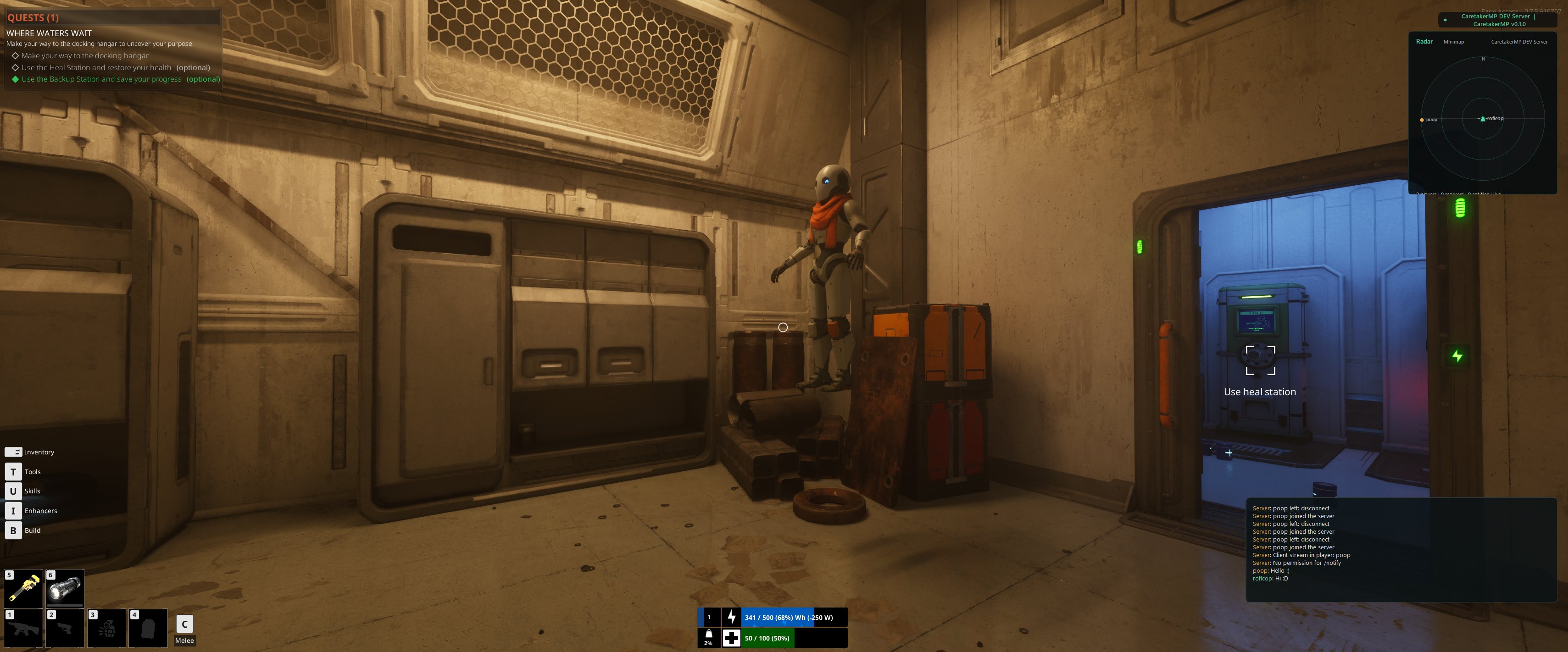
Connected players are represented through the overlay, giving a clear signal that a private session is alive and synchronized.
Chat, radar, command browsing, and session feedback sit on top of the game without replacing the original HUD.
Connection flow
Run the Windows Server GUI or a Linux service, choose the session ports, set a private password, and start the server.
Upload a named SaveGames bundle with an in-game save label so friends know exactly which world to load.
Players import a cmp://join invite, preview the world install, back up local saves, and start the game from the launcher.
The bridge connects, the overlay shows chat and crew status, and the hook path can feed local player transforms when installed.
Already in the build
The current build focuses on private release usability: safe world installs, friend invites, health checks, support packs, overlay controls, and scriptable server systems.
Hosts copy a cmp://join invite, and players import it into the launcher with server address, ports, world label, save label, and optional password.
Reachable hosts can send live status updates so players see slots, world label, version, password status, and last-seen health without exposing private values.
The launcher previews server world bundles, verifies hashes, backs up local SaveGames, writes an install marker, and can restore the latest backup.
Players and hosts can run a one-click health check for runtime files, game path, saves, hook files, resources, ports, and server compatibility.
Launcher, Bridge, server, and support packs carry release metadata so stale builds and protocol mismatches are visible before a session derails.
The chat overlay adds passive chat, event toasts, player menu, command browser, Crew HUD, Signal Doctor, Quick Actions, Session Journal, Radar/Minimap, and MOTD card.
Players can export a private Passport with their locked Player ID, server favorites, and installed-world markers without logs, game files, or SaveGames.
Hosts can build a private Windows package with exes, assets, resources, hook template, docs, quickstart, manifest, and checksums.
Resources cover commands, events, RPC, teams, instances, activities, objectives, inventory state, checkpoints, markers, entities, and world metadata.
Run a headless server on Ubuntu or Debian with Node.js 20+, open UDP 7777 and TCP 7778, and keep it alive with systemd.
.\CaretakerMP.ServerGui.exe
.\CaretakerMP.Launcher.exe

# host a Windows session
.\CaretakerMP.ServerGui.exe

# host a headless server
.\CaretakerMP.Server.exe --host 0.0.0.0 --port 7777 --httpPort 7778 --maxPlayers 4
Quick start
Start with the player launcher for joining. Hosts use the Server GUI on Windows or the headless server on Linux. The wiki includes step-by-step install, join, hosting, world-sync, and support flows.
DevLog
Short release notes for players and hosts: what changed, why it matters, and which part of the CaretakerMP session experience moved forward.
Lights, switches, doors, cables, outlets, stations, and power modules can now move through a server-owned state layer.
Session proofRadar, chat, command browsing, and stream-in messages now show the private session loop working together.
DiscoveryReachable hosts can publish live slots, version, password status, world label, and last-seen health without exposing secrets.
Release toolkit
Server profiles, invite import, world preview/install, Smart Launch Guard, Bridge, game launch, PID-tied overlay, and hook install.
Host profile setup, server start/stop, passworded sessions, public-host validation for listings, Auto second player, world publishing, friend invites, resource checks, and support packs.
Named world metadata, in-game save label, bundle archive, SHA verification, preview diff, local backup, and rollback.
Export/import Passport, create sanitized support packs, read Release Health, and keep stable identity across installs.
Chat feed, no-activate HUD notifications, MOTD, player menu, command browser, Crew HUD, Signal Doctor, Quick Actions, Session Journal, and Radar.
Opt-in live status updates from hosted servers populate /servers.html with slots, password status, protocol/version, world label, and last-seen health.
Resources for commands, RPC, state bags, markers, checkpoints, zones, instances, teams, activities, inventory state, and entities.
Windows friend packages for players and a headless Linux service path for always-on private crew servers.
The Last Caretaker multiplayer FAQ
CaretakerMP is a private multiplayer toolkit for The Last Caretaker with a launcher, private server hosting, synced world installs, overlay chat, and Lua server scripting.
Players import a host invite in the launcher, run Preflight, preview and install the hosted world, then start the game with Bridge and overlay.
Yes. Hosts can use the Windows Server GUI or a Linux server, publish a crew world, copy invites, package a Friend Pack, and add Lua resources.
Clean boundary
CaretakerMP does not ship game binaries, extracted assets, keys, decrypted content, DRM bypasses, or proprietary mappings. The bridge is intended for legitimate local installs, with official modding support preferred wherever it is available.
Optional support
CaretakerMP is free to use. A donation is never required and does not unlock anything; it helps cover hosting, tooling, verification time, and the routine maintenance that keeps releases usable.